21 Apr How to Set Up a Digital Wallet for Bitcoin ATMs
Buying cryptocurrency with cash has never been more straightforward. You can easily walk up to a machine, insert your cash, and walk away with digital currency. Before you can make your first purchase, you need a secure place to store your new assets. That is where a digital wallet comes into play.
A digital wallet acts like a virtual bank account for your cryptocurrency. It allows you to receive, store, and send digital funds securely. Without one, you have no way to collect the Bitcoin you buy from a physical machine. Setting up your first wallet might seem complicated, but the process only takes a few minutes.
This guide will walk you through the exact steps needed to create your wallet. By the end of this post, you will be fully prepared to find a Bitcoin ATM location near me and complete your first transaction with confidence.
What Is a Digital Wallet?
A digital wallet is a software program or physical device that stores the public and private keys needed to access your cryptocurrency. It communicates with the blockchain so you can manage your balance and process transactions. Think of it as a digital pocketbook designed exclusively for your digital cash.
When you use a Crypto ATM, the machine needs to know where to send your newly purchased funds. Your wallet provides a unique address, usually represented as a QR code. The machine scans this code and transfers the crypto directly to you.
Choosing the Right Wallet for You
There are several types of crypto wallets available. Your choice depends on how you plan to use your funds and how much security you require.
Mobile Wallets
Mobile wallets operate as apps on your smartphone. They are the most convenient option for everyday use. Because you carry your phone everywhere, a mobile wallet makes it incredibly simple to use a Crypto ATM location near me. Popular options include Trust Wallet, Exodus, and BlueWallet.
Hardware Wallets
If you plan to store a large amount of cryptocurrency, you might prefer a hardware wallet. These physical devices, like Ledger or Trezor, keep your private keys offline, offering maximum security against online hacking attempts. While superior for protection, they are slightly less convenient for quick, on-the-go transactions.
Step-by-Step Guide to Setting Up Your Wallet
We will focus on mobile wallets, as they are the most practical choice for interacting with a Bitcoin ATM.
Step 1: Download the App
Visit the Apple App Store or Google Play Store. Search for a reputable crypto wallet and download it. Always verify the developer’s name and read reviews.
Step 2: Create a New Wallet
Open the app and select the option to create a new wallet. You will be prompted to create a secure PIN or set up biometric authentication (fingerprint or face scan).
Step 3: Secure Your Recovery Phrase
This is the most crucial step. The app will provide a recovery phrase (12 to 24 words). Write these words down on a physical piece of paper in the exact order shown. Do not take a screenshot. Keep this paper in a secure location, like a safe.
How to Use Your Wallet at a Crypto ATM
Find a Convenient Location
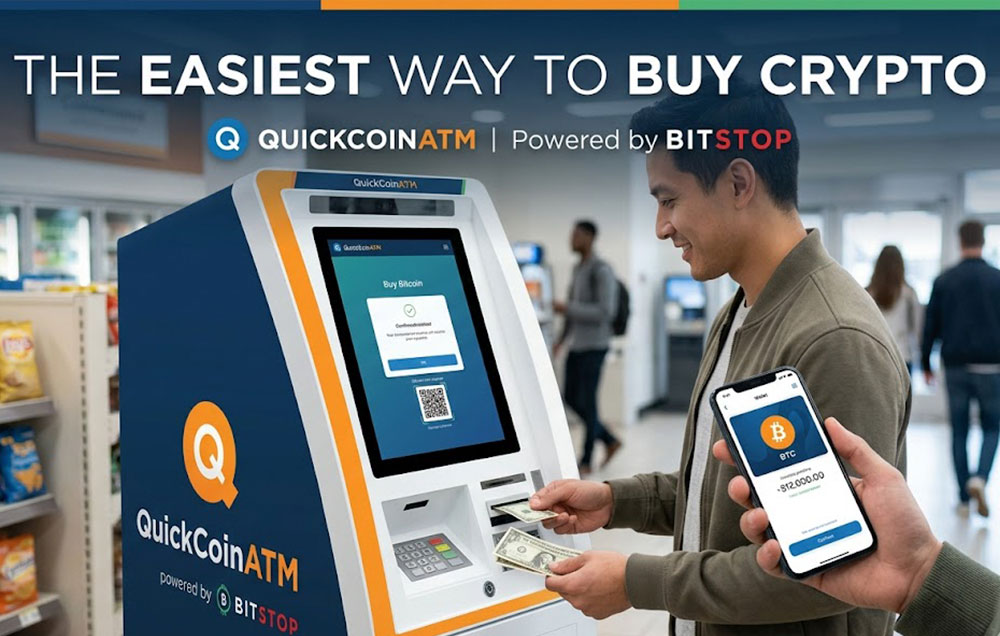
First, you need to locate a machine. You can easily search for a Crypto ATM near me using online locators like the one provided by QuickCoin. We have convenient BitStop machines across Utah, Idaho, Wyoming, and Colorado.
Scan and Purchase
When you arrive at the Bitcoin ATM near me, open your wallet app. Navigate to the “Receive” section to display your QR code. Select your purchase amount on the machine, scan your code, insert your cash, and confirm. Transactions are fast, usually appearing in your app within minutes.
Frequently Asked Questions (FAQ)
Do I need to link a bank account to my wallet?
No. When you use a Crypto ATM, you are purchasing digital currency with physical cash. Your wallet simply acts as the destination for the crypto.
Is it safe to buy crypto this way?
Yes, buying from a trusted Crypto ATM location is very secure. The transaction happens over highly encrypted networks.
What if I need help during my transaction?
If you encounter any issues, you can Contact Bitcoin ATM support teams directly from the machine or via their website.
How much can I buy at once?
Many machines allow you to instantly buy up to $3,000 per day with no ID required. Higher limits up to $25,000 are available with extra verification.
Start Your Crypto Journey Today
Setting up a digital wallet takes only a few minutes and opens the door to the digital economy. Are you ready to make your first cash-to-crypto purchase? Use our locator tool to Find a Crypto ATM near me. QuickCoin offers low rates, fast transactions, and a highly secure network. Visit our locations page today and discover the easiest way to buy crypto with cash.
Sorry, the comment form is closed at this time.